Coding Agents
from Scratch_
Marc Brinkmann · ESNT Workshop, CEA Saclay · July 7, 2026
May contain Fortran90.
program fortrande
  use utils
  implicit none
  call banner()
  call main_loop()
end program
What is an LLM?
A large language model is a neural network trained to predict the next token in a piece of text, using patterns learned from very large collections of written language and code.
Or simply: a magic black box that guesses how your input might continue.
Where does it come from?
How does it learn to behave?
Raw next-token prediction is not enough: post-training ranks candidate answers, then nudges the model toward the ones humans prefer.
Tokenization
The black box is a service
Frontier models run on GPU clusters; your code sends JSON over HTTP and gets JSON back.
The lingua franca: Chat Completions
De-facto standard API shape — invented by OpenAI, spoken by everyone
Let's build one,
in Fortran90
Please have git, gfortran, and your favorite editor ready.
Git repo with milestones — everyone codes along, checkpoints included
Keep fortrande.f90 open and follow the changes there.
Build check
First sanity check: compiler, checkout, and build script all agree.
If this does not build, speak up now, please.
Exit the program with Ctrl-D.
$ ./build/fortrande
# stuck?
git reset --hard milestone-0-init
utils.f90: your toolbox
Provided, so we don't spend the morning on string handling.
call read_user_input(msg)
if (.not. confirm("continue?")) stopcall append_text(body, used, chunk) if (starts_with(reply, "@@RUN")) then call extract_block(reply, "@@RUN", cmd, n) end if
call read_file("SYSTEM_PROMPT.md", prompt, n)
call write_file("answer.txt", answer, n)call http_post_with_token(URL, key, body, n, &
reply, m)safe = escape_json_string(msg) answer = parse_json_string(raw_json)
Single shot
~120 lines: read input → build JSON → POST → parse → print
Try it: ask it a question. Any question.
Have a look: from here on, the only source file we inspect is fortrande.f90.
$ ./build.sh && ./build/fortrande
> how are you?
assistant>>
I’m doing well, thanks! How can I help you today?
>
Chat history
The fix: keep a transcript, send all previous messages with every request
We also add SYSTEM_PROMPT.md: the assistant now has a role.
The interesting bit is complete_conversation in fortrande.f90.
$ git checkout milestone-2-chat-history
subroutine complete_conversation(messages, message_count)
   implicit none

   character(len=max_message_len), intent(inout) :: messages(:)
   integer, intent(inout) :: message_count

   character(len=max_conversation_size), save :: request
   character(len=max_message_len), save :: llm_response

   request = build_request(messages, message_count)
   call call_chat_api(request, len_trim(request), llm_response)

   messages(message_count + 1) = "ASSISTANT: "//trim(llm_response)
   message_count = message_count + 1

   call show("assistant", llm_response)
end subroutine complete_conversation
> i'm marc, how are you?
assistant>>
Hi Marc! I’m doing well, thanks for asking. How are you?
> what's my name?
assistant>>
Your name is Marc.
Bash, our first tool
Tool calls are just instructions in the prompt.
We extend SYSTEM_PROMPT.md with a plain-text tool protocol.
In fortrande.f90, the interesting code only recognizes the marker.
$ git checkout milestone-3-bash-protocol
## Tools
You have tools at your disposal. To call a tool, return only the tool call.
Do not include any text before or after it.

A tool call starts with the tool marker on its own line. The tool input starts
on the next line and ends at a line containing only `@@END`.

For bash, use `@@BASH` followed by the script to execute:
```
@@BASH
date -R
@@END
```
if (starts_with(llm_response, "@@BASH")) then
   call show("bash", llm_response)
else
   call show("assistant", llm_response)
end if
> what time is it?
bash>>
@@BASH
date
@@END
Executing tools
Extract the command, ask, run it.
Fortran gymnastics: write a script, redirect stdout/stderr, read files back.
Still underwhelming: we print the result, but do not send it back yet.
$ git checkout milestone-4-bash-execution
if (starts_with(llm_response, "@@BASH")) then
   call run_bash_tool(llm_response, stdout, stderr)
   call show("stdout", stdout)
   call show("stderr", stderr)
else
   call show("assistant", llm_response)
end if
call extract_block(tool_call, "@@BASH", command, command_len)
call show("bash", command(1:command_len))
if (.not. confirm("Run bash command?")) then
   stdout = ''
   stderr = "User declined bash command."
   return
end if
call run_bash(command(1:command_len), stdout, stderr)
> what time is it?
bash>>
date
Run bash command? [y/n] y
stdout>>
Di Jul  7 01:42:13 CEST 2026

stderr>>
The tool-call loop
The agent loop
After a tool run, append stdout/stderr to the transcript.
Then call the model again.
LLM + tools + a loop
= an agent
$ git checkout milestone-5-agent-loop
do
   request = build_request(messages, message_count)
   call call_chat_api(request, len_trim(request), llm_response)
   messages(message_count + 1) = "ASSISTANT: "//trim(llm_response)
   message_count = message_count + 1

   if (.not. starts_with(llm_response, "@@BASH")) then
      call show("assistant", llm_response); exit
   end if

   call run_bash_tool(llm_response, stdout, stderr)
   messages(message_count + 1) = "USER: @@STDOUT"//achar(10)//trim(stdout)
   messages(message_count + 2) = "USER: @@STDERR"//achar(10)//trim(stderr)
   message_count = message_count + 2
end do
> what time is it?
bash>>
date
Run bash command? [y/n] y
stdout>>
Di Jul  7 01:46:45 CEST 2026

stderr>>

assistant>>
It’s **01:46:45 CEST on Tuesday, July 7, 2026**.
Thinking out loud
Add a scratchpad block for planning before acting.
In this small agent it can be harder to trigger on demand.
Watch for thought>> blocks popping up during longer tasks.
$ git checkout milestone-6-thoughts
## Thought blocks
You may emit a thought block as a model-visible scratchpad:

```
@@THOUGHT
intermediate reasoning or state for the next step
@@END
```

Thought blocks are not final answers. They stay in the conversation context.
Use one when it helps to stop and plan before acting.
if (starts_with(llm_response, "@@THOUGHT")) then
   call show("thought", llm_response)
   thought_calls = thought_calls + 1
   if (thought_calls > max_thoughts) then
      print *, "thought limit reached"
      return
   end if
   cycle
end if

thought_calls = 0
Fully functional
You can now give it real tasks.
Bash is powerful enough to emulate files, tools, compilers, and scripts.
Roundabout, but enough to bootstrap the rest.
> Problem: A ball is launched at 30 m/s at a 45° angle. Drag is proportional to velocity. Write a small Python3 program to calculate the range and run it.
bash>>
cat > /tmp/projectile_linear_drag.py << 'PY'
...
PY
python3 /tmp/projectile_linear_drag.py
Run bash command? [y/n] y
stdout>>
Assumed linear drag parameter b=k/m = 0.100 1/s
Range = 70.670 m
Time of flight = 4.052 s
No-drag range for comparison = 91.743 m

stderr>>

assistant>>
With b = 0.10 s^-1, the ball travels about 70.7 m.
Without drag, the same launch would travel about 91.7 m.
The exact drag case needs k/m.
No more hand-coding
We now have enough for the agent to improve itself.
PROMPTS_TO_TRY.md is the task queue: feed it one task, rebuild, continue.
milestone-8-final-fortran-version and final are later checkpoints.
$ git checkout milestone-7-further-work
PROMPTS_TO_TRY.md

> Add ANSI colors to terminal output.
> Add @@READ and @@WRITE tools.
> Add an @@EDIT tool for safe in-place edits.
> Add an --always-yes command-line flag.
> Add @@FETCH and @@SEARCH tools.
$ git checkout milestone-8-final-fortran-version
$ ./build.sh && ./build/fortrande --always-yes
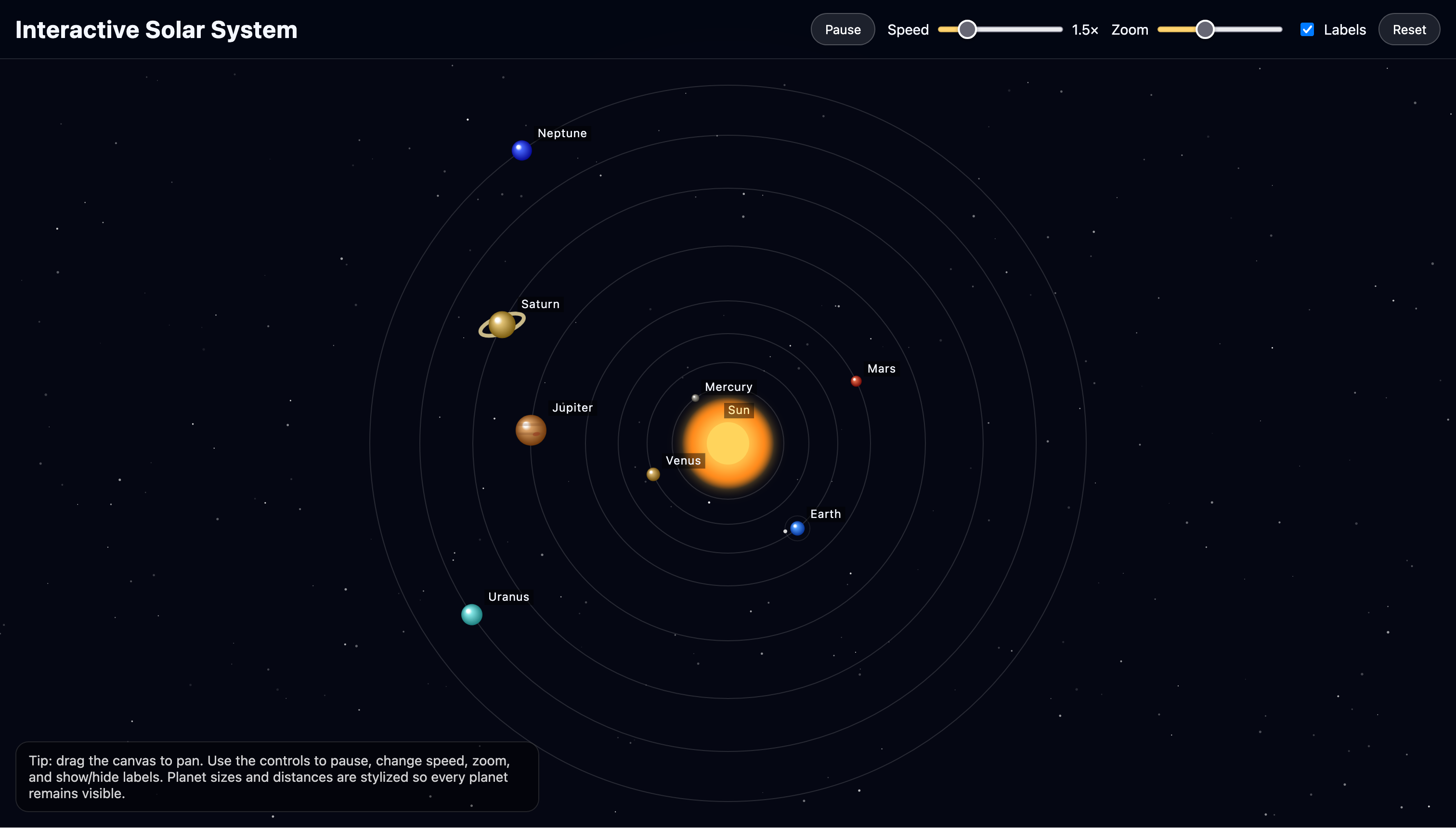
> create an interactive HTML document (along with the required JS file)
  that shows all planets of the solar system rotating around the sun
  (keep it simple, use canvas to draw)
...
> open it
bash>>
if command -v xdg-open >/dev/null 2>&1; then
  xdg-open index.html
elif command -v open >/dev/null 2>&1; then
  open index.html
elif command -v start >/dev/null 2>&1; then
  start index.html
else
  echo "Open index.html manually in your browser."
fi
You built a coding agent in Fortran90
Next: lunch, probably.
Afterwards: how production coding agents work — Codex, pi, and similar tools.
If there is demand: hands-on with participant problems.
If this was useful, feel free to write any time: marc@49nord.de